
WO Mic for Windows 11 & Windows 10: Complete 64-Bit Setup Guide
WO Mic v6.3 runs natively on 64-bit Windows 11 (including 22H2, 23H2, and 24H2) and Windows 10, installing a signed 64-bit WDM virtual audio driver (womic.sys) alongside the desktop receiver client. To ensure smooth operation on modern Windows 11 builds, you must allow desktop microphone privacy access, align the CoreAudio sample rate to 48,000 Hz, and install the x86 Visual C++ runtime.
Windows 11 24H2 & Windows 10 Verified: 64-Bit & 32-Bit Support · Signed Virtual Driver · Rating: ★ 4.5 / 5 (1,284 reviews)
Download WO Mic v6.3 for Windows 11 & 10
1. Windows 11 (24H2) & Windows 10 Compatibility Overview
Windows 11 24H2 introduced stricter kernel audio endpoint enumeration and per-app microphone privacy gates; here is how each component of WO Mic v6.3 interacts with Windows 10 and Windows 11:
| Windows Edition | Virtual Driver Architecture | Required Windows Setting |
|---|---|---|
| Windows 11 24H2 / 23H2 (x64) | 64-bit signed womic.sys | Enable Let desktop apps access your microphone in Privacy |
| Windows 11 on ARM (Snapdragon X) | Client runs via Prism; use AudioRelay/SonoBus if ARM64 driver needed | x64 kernel drivers require x86/x64 processor |
| Windows 10 (1809–22H2 x64/x86) | 64-bit or 32-bit womic.sys | Install vc_redist.x86.exe + allow UDP 8125 in Firewall |
2. Step-by-Step Setup on Windows 11 & Windows 10
- Install the x86 Visual C++ Runtime First: Even on 64-bit Windows 11, the user-mode GUI (
WOMicClient.exe) is a 32-bit binary that links toC:\Windows\SysWOW64\MSVCP140.dll. Run vc_redist.x86.exe so the client opens without DLL errors. - Run the v6.3 Installer as Administrator: Right-click the installer downloaded from this page or our WO Mic PC Download hub, choose Run as administrator, and keep the WO Mic Virtual Driver (Windows 10/11 x64) option checked.
- Enable Windows 11 Microphone Privacy Permissions: Open Settings (Win + I) → Privacy & security → Microphone. Ensure both Microphone access and Let desktop apps access your microphone are toggled ON. If this toggle is off, Discord and OBS Studio will receive digital silence even when WO Mic shows Connected.
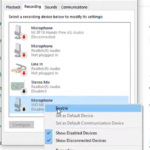
- Disable 'Audio Enhancements' on the Virtual Endpoint: Open Settings → System → Sound → Input → Microphone (WO Mic Device), set Format to
1 channel, 16 bit, 48000 Hz, and set Audio enhancements to Off so Windows 11 does not apply double voice filtering on top of your phone's mic.
3. Fixing Windows 11 24H2 Core Isolation (Memory Integrity) & Firewall Prompts
- Memory Integrity (HVCI) Compatibility: If you upgraded from an old Windows 10 installation that still had the legacy v4.x WO Mic driver installed, Windows 11 Security may flag the old driver under Core Isolation. Follow our WO Mic Virtual Driver pnputil purge guide to remove the old driver and install the clean v6.3 build.
- Windows Defender Firewall Rules for Wi-Fi: When connecting over Wi-Fi transport, allow
WOMicClient.exethrough both Private and Public networks so UDP port 8125 packets from your Android phone or iPhone are not dropped.
Frequently Asked Questions
Why did WO Mic disappear from my input list after updating to Windows 11 24H2?
Major Windows feature updates rebuild the audio endpoint store. Right-click the WO Mic v6.3 installer, select Run as administrator to re-register the virtual driver, and restart your PC.
Why do I need the x86 (32-bit) Visual C++ Redistributable on 64-bit Windows 11?
While the kernel driver (womic.sys) is 64-bit, the user-interface app (WOMicClient.exe) is a 32-bit executable, which always loads 32-bit runtime DLLs from SysWOW64.
Does Windows 11 Voice Typing (Win + H) work with WO Mic?
Yes! Once Microphone (WO Mic Device) is set as your default Windows 11 input device, pressing Win + H lets you dictate text into any document using your phone's microphone.
Should I use USB or Wi-Fi on Windows 11?
For Android users, USB (see our USB Debugging Guide) provides 24 ms latency and charges your phone. For iPhone users or wireless setups, 5 GHz Wi-Fi works seamlessly.